What Is Google Trends?
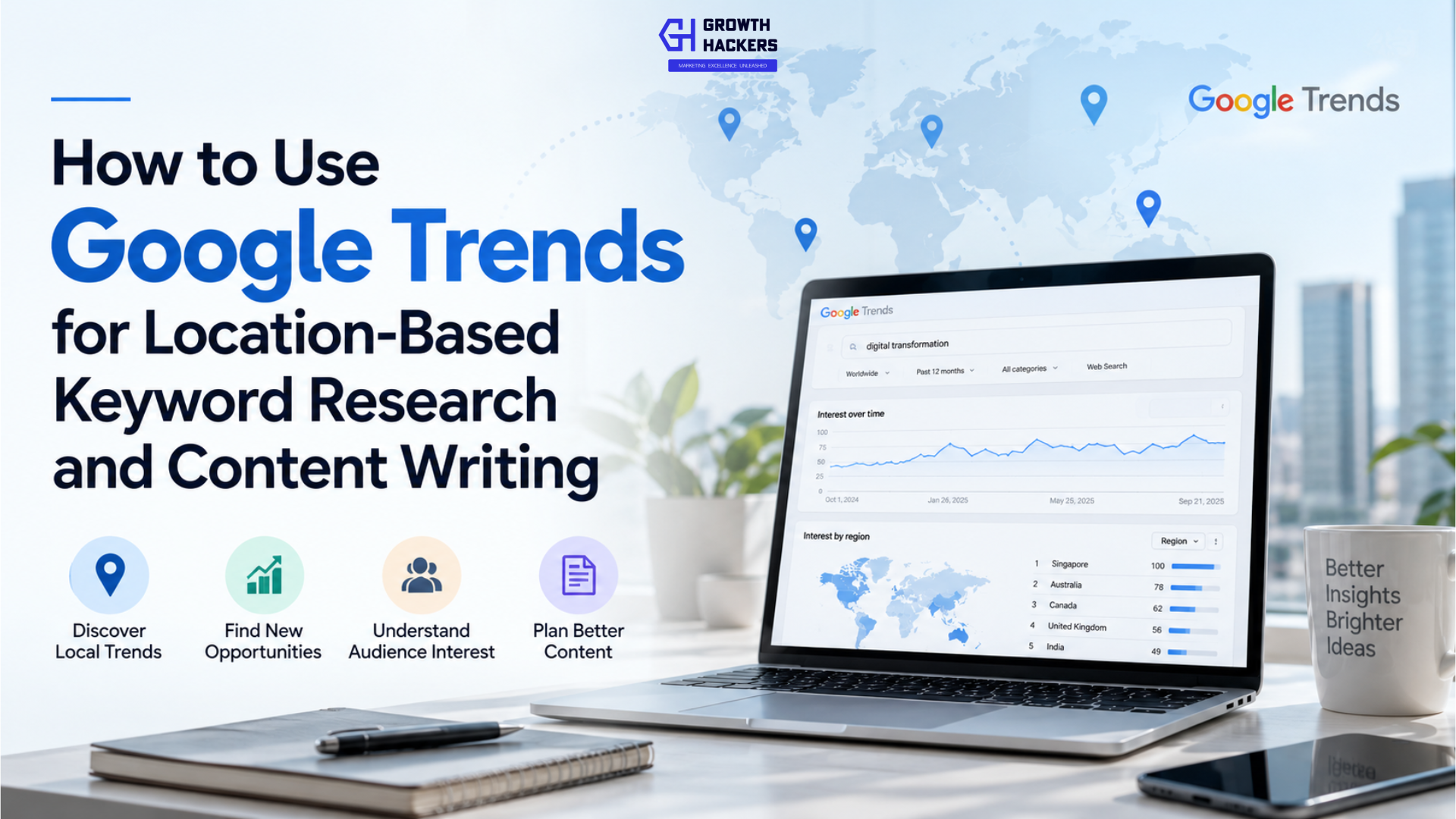
Google Trends is a free Google tool that helps users explore how people search for topics and terms on Google over time and across different locations. It can be used to examine changes in search interest, compare multiple topics or search terms, identify related searches, and understand where interest is concentrated geographically.
For marketers and content writers, Google Trends can be useful at an early stage of content research. Instead of choosing a topic based only on assumptions or personal judgment, marketers can use Trends to see whether interest in a subject is growing, declining, seasonal, or concentrated in particular regions.
You can explore the tool directly throughGoogle Trends.
For example, a marketer researching AI automation can use Google Trends to explore:
How interest in the topic has changed over time
Which countries show higher relative interest
Which U.S. states show stronger interest
Which metropolitan areas or DMAs show interest
Related topics people are searching for
Related queries associated with the topic
Queries showing significant growth
This makes Google Trends useful for more than simply identifying "trending" topics. It can provide additional context for content planning, keyword research, market research, local SEO, and geographic content strategy.
However, Google Trends should not be confused with a traditional keyword research platform. It does not provide a simple monthly search-volume figure for every keyword. Instead, Google normalizes search interest and presents it on a relative scale based on the selected time period, location, search type, and other parameters.
That distinction becomes particularly important when using Google Trends for SEO. A keyword showing strong interest in Google Trends is not automatically a keyword with high monthly search volume, low competition, or a strong ranking opportunity.
The real value comes from combining Trends data with other sources such as Google Search Console, Google Keyword Planner, and SEO platforms to build a more complete picture of search demand and website performance.
What Google Trends Can Tell You About Search Behavior
Search behavior is not static. The topics people search for can change because of technology, news, business developments, seasonal events, consumer behavior, or changes in the way people use search.
A topic that attracted significant interest several years ago may have a different level of interest today. Similarly, two keywords that appear to describe the same subject may show different patterns of search interest.
Google Trends helps marketers investigate these changes.
For example, rather than simply asking:
"What keyword should I use?"
a content marketer can ask:
"Is interest in this topic increasing?"
"Where is interest strongest?"
"Are there related searches I should consider?"
"Is this topic seasonal?"
"Are people searching for a newer variation of this topic?"
These questions can lead to better-informed content decisions.
Google Trends becomes particularly valuable when geographic targeting is involved. Its geographic views allow users to examine relative search interest at different levels, including countries and, where sufficient data is available, smaller geographic areas such as states, cities, and metropolitan areas.
This makes it possible to move from a broad question such as:
"Are people searching for AI automation?"
to more specific questions such as:
"Where is interest in AI automation concentrated?"
and:
"Which related topics are associated with that interest?"
Those insights can then be used as inputs for a broader keyword and content research process.
The History of Google Trends: From Search Trends to a Broader Research Tool
Google Trends has been part of Google's search ecosystem for nearly two decades.
The product was launched in 2006, initially giving users a way to explore patterns in Google search activity. Google says the data available in Trends goes back to 2004, allowing users to examine long-term changes in search interest.
Over the years, Google expanded the amount of information available through Trends and the ways people could explore it. What began as a relatively simple way to examine search trends developed into a tool used by journalists, researchers, businesses, marketers, content creators, and other professionals to understand changes in search behavior.
2006: Google Trends Launches
Google introduced Google Trends in 2006 as a way to explore what people were searching for.
The service provided a visual way to examine search interest over time rather than looking at individual search results. Users could enter a search term and see how interest had changed historically.
The underlying Trends data extends back to 2004, giving users a longer historical perspective for many searches.
This historical dimension became one of the product's most useful characteristics. Instead of looking only at what people were searching for today, users could examine how interest had changed over months or years.
2012: Google Expands Trends
Google continued to develop Trends and, in 2012, brought together different search-interest experiences into a more unified Google Trends product.
This period helped establish Trends as a broader destination for exploring search behavior rather than simply a tool for looking at individual search terms.
The ability to compare search interest and examine trends over longer periods made the product increasingly useful for research and analysis.
2015: More Real-Time Search Insight
In 2015, Google announced an expanded Google Trends experience with access to more real-time information and a broader view of search trends.
The update was designed to help people understand what the world was searching for as events unfolded, making Trends particularly useful for news organizations and researchers studying rapidly changing public interest.
This was an important shift because search trends could now be used not only for historical analysis but also to understand what was gaining attention in the moment.
2021: 15 Years of Google Trends
In 2021, Google marked 15 years of Google Trends and highlighted how the tool had become useful across different fields.
Google noted that Trends was being used by journalists, researchers, scholars, brands, and others to explore aggregated search behavior.
By this point, Google Trends had developed into more than a tool for discovering popular searches. Its historical data, geographic information, related searches, and comparison capabilities made it useful for understanding how interest changes across subjects and locations.
For marketers, this opened up additional applications such as:
Content topic research
Keyword comparison
Market research
Seasonal planning
Geographic research
News and trend monitoring
Consumer-interest analysis
2026: Google Trends and Gemini
Google Trends continues to evolve as Google adds AI-assisted capabilities to search research.
In January 2026, Google introduced an updated Trends Explore experience with Gemini capabilities. Google says the new experience can help users identify and compare relevant trends, surface related ideas, and suggest prompts for deeper exploration.
This changes the way users can approach trend research.
Previously, a marketer might start with a specific keyword and manually explore related searches and comparisons. AI-assisted exploration can help users discover related trends and research directions more quickly.
For content marketers, this creates another potential use case: using Google Trends not only to validate an existing content idea but also to discover new topics worth researching.
How Google Trends Data Works
Before using Google Trends for keyword research or content planning, it is important to understand what the numbers actually represent.
Google Trends does not show the exact number of searches a keyword receives. Instead, Google uses an aggregated and anonymized sample of search activity and normalizes the data to show relative search interest over a selected period and geographic area. The results are presented on a scale from 0 to 100.
This distinction is important because it changes how you should interpret the information.
Google Trends can help you understand whether interest in a topic is increasing, decreasing, or remaining relatively stable. It can also help you compare topics, explore geographic differences, and discover related searches.
However, it should not be treated as a direct replacement for a keyword research platform that provides estimated search volume.
There are three concepts you need to understand before using Google Trends for SEO:
The 0 - 100 relative interest score
Why Google Trends is not search volume
The difference between a search term and a topic
Understanding the 0 - 100 Relative Interest Score
The Interest over time graph in Google Trends uses a scale from 0 to 100.
This is a normalized score, not a search count.
A value of 100 represents the highest level of relative search interest for the selected query within the specific time and geographic range you are examining. Other values are calculated relative to that peak.
For example, imagine you search for:
AI automation
and Google Trends shows:
January: 38
February: 52
March: 67
April: 100
May: 81
The April value of 100 does not mean that people performed 100 searches.
It means April had the highest relative search interest for that query within the selected dataset.
The value of 81 in May means the relative interest was lower than the April peak.
Why the score changes when you change the location
Google Trends normalizes data based on the geographic area and time period selected.
For example, you could search for AI automation in:
United States → Past 12 months
and then change the location to:
Texas → Past 5 years
The resulting scores should not be treated as directly comparable search-volume figures.
The score is calculated within the context of the selected dataset. This is why Google Trends is best understood as an index of relative interest, rather than a counter of actual searches.
What does 0 mean?
A value of 0 does not necessarily mean that nobody searched for the term.
It can indicate that the search term had very low relative interest compared with the highest point in the selected dataset, or that Google does not have enough data to report a meaningful result.
This is particularly important when researching very specific or low-volume queries.
Why Google Trends Is Not Search Volume
One of the most common mistakes in SEO research is treating the Google Trends score as monthly search volume.
If Google Trends shows:
AI automation - 100
you should not interpret that as:
"AI automation receives 100 searches."
You also cannot conclude that it receives 100,000 searches per month.
The number represents relative popularity within the selected dataset.
This makes Google Trends useful for understanding direction and comparison, rather than absolute search demand.
For example, suppose you are comparing:
AI automation
with:
intelligent automation
Google Trends may show that AI automation has greater relative interest during a particular period.
That can tell you something about how the two subjects are trending relative to each other.
It does not tell you the exact monthly search volume for either keyword.
So when should you use Google Trends?
Use Google Trends when you want to understand:
Whether search interest is increasing or declining
Whether a topic is seasonal
Which topic has greater relative interest
Where search interest is concentrated
Which related searches are gaining attention
Whether a topic has changed in popularity over time
For estimated search volume, keyword difficulty, competition, or other SEO metrics, you should use dedicated keyword research tools.
For your own website's actual search performance, Google Search Console provides a different and complementary source of information.
The most effective approach is therefore to use Google Trends alongside, rather than instead of, other SEO tools.
Search Term vs. Topic in Google Trends
When you search Google Trends, you may notice that Google can offer both search terms and topics.
They are not exactly the same.
A search term represents the specific words or phrase entered into Google.
For example:
enterprise automation
When you select this as a search term, you are investigating that particular wording.
This can be useful when you want to understand:
A specific keyword
A keyword variation
A phrase used in search
A product name
A brand name
A specific search query
Search-term analysis is relatively literal. Searching for one phrase does not automatically mean Google Trends will include every synonym or related concept.
A topic is broader.
Google can group related searches that represent the same underlying concept. Depending on the topic, this can include different wording, spelling variations, or searches in different languages that Google identifies as referring to the same subject.
This distinction is particularly useful for content research.
Imagine you want to understand overall interest in a particular technology rather than one specific keyword phrase.
A topic can provide a broader view of that subject, while a search term can help you investigate the exact language people use.
Which should you choose?
Use a search term when your research question is:
"How are people searching for this specific phrase?"
Use a topic when your question is:
"How much interest is there in this broader concept?"
For SEO research, you may want to use both.
Start with the broader topic to understand overall interest, then investigate specific search terms to identify the language and keyword variations that may be useful for your content.
This distinction becomes particularly important when comparing keywords because selecting a topic in one comparison and a search term in another can produce misleading conclusions.
Always check what Google Trends is actually analyzing before interpreting the result.
How to Use Google Trends for Keyword Research
Google Trends can be a useful part of keyword research, but it serves a different purpose from traditional keyword research tools.
Instead of providing estimated monthly search volume or keyword difficulty, Google Trends helps you understand how search interest changes over time, how different keywords compare, what related searches people are making, and where interest is concentrated geographically.
This makes it particularly useful during the early stages of keyword research.
Rather than selecting keywords based only on a list of search-volume numbers, you can use Google Trends to understand how people are actually searching for a topic and whether interest is changing.
Comparing Keywords
One of the most useful Google Trends features is the ability to compare multiple search terms or topics.
Suppose you are planning content around enterprise technology and are considering these terms:
AI automation
Intelligent automation
Enterprise automation
Business process automation
Instead of evaluating each phrase independently, you can enter them into Google Trends and compare their relative search interest.
This can help answer questions such as:
Which topic has attracted more relative search interest?
Are two keywords following similar trends?
Is one term gaining interest while another is declining?
Has the preferred terminology changed over time?
This type of comparison can be particularly useful when different keywords describe similar concepts.
For example, a company may use the term “intelligent automation” internally, while prospects may increasingly search for AI automation.
Google Trends can help identify whether that difference exists in search behavior.
However, remember that the comparison is based on relative interest, not absolute search volume. A keyword showing a higher Trends score is not automatically the keyword with the highest monthly search volume.
The result should therefore be used as one input in the keyword-selection process.
Identifying Search Trends Over Time
Keyword research should not always be treated as a snapshot.
Search behavior changes.
A keyword that performed well several years ago may have different levels of interest today. Similarly, a newer term can gain attention as technology, products, or industry terminology changes.
Google Trends allows you to examine search interest over different periods.
You can investigate a topic over:
The past 12 months
The past 5 years
A custom time period
A specific year or period, depending on the research objective
Looking at multiple time ranges can provide more context.
For example, a 12-month view can help you understand recent momentum, while a 5-year view can show whether the current pattern is part of a longer-term trend.
This can help distinguish between:
Short-term interest
A sudden increase that may be associated with an event or announcement.
Longer-term growth
A gradual increase that continues over an extended period.
Stable interest
A topic that remains consistently searched without major changes.
Declining interest
A topic whose relative search interest has decreased over time.
These patterns can influence how you approach content.
A rapidly growing topic may deserve new content.
A stable topic may be appropriate for evergreen content.
A declining topic may require more research before you invest significant resources in creating new content.
Finding Keyword Variations
People do not always use the same words to search for a concept.
For example, someone interested in automation services might search for:
AI automation
business automation
workflow automation
intelligent automation
enterprise automation
process automation
Google Trends can help you investigate these variations and understand how their relative interest differs.
This is useful because keyword research is not simply about finding one "perfect" keyword.
A comprehensive content strategy often needs to account for the different ways people describe the same problem, technology, service, or solution.
You can start with a broad concept and use Google Trends to identify related terminology. Then validate those terms using a dedicated keyword research platform.
This process can help you avoid building content around terminology that your target audience rarely uses.
Using Related Queries for Keyword Discovery
The Related queries section can help expand your initial keyword list.
When you enter a search term or topic into Google Trends, Google may show searches that are related to what you entered.
These searches can reveal:
Specific questions
Related technologies
Use cases
Products
Comparisons
Problems
Services
Emerging terminology
For example, if you research:
AI agents
related queries might lead you toward more specific areas of interest.
Those searches can then become candidates for:
New articles
FAQ questions
Subtopics
Supporting pages
Comparison content
Technical guides
But don't copy every related query directly into your content.
First understand the search intent behind it.
A related query could represent informational intent, commercial investigation, navigational intent, or a highly specific technical requirement.
The content should match that intent rather than simply repeating the keyword.
Top vs. Rising Queries
Google Trends provides two different types of related queries that are particularly useful for keyword research.
Top Queries
Top queries are the searches most frequently associated with the topic or search term within the selected context.
They can help you understand established areas of interest.
For example, if you are researching SAP S/4HANA, Top queries can help identify related searches that already have a strong association with the subject.
These can be useful when building foundational or evergreen content.
Rising Queries
Rising queries are searches that are experiencing the strongest growth compared with the previous period.
These can help identify emerging search behavior.
For content teams, this creates an opportunity to discover topics that may not yet be central to the existing content landscape.
However, a rising query should always be investigated before becoming a content priority.
Ask:
Why is the query increasing?
Is the increase temporary?
Is it connected to a product launch or news event?
Does it have relevance to the target audience?
Is the topic likely to remain useful?
Are there already strong search results addressing it?
This additional analysis helps separate temporary search spikes from meaningful content opportunities.
Using Google Trends to Build a Better Keyword List
A useful way to incorporate Google Trends into keyword research is to start broad and gradually become more specific.
For example:
Core topic
AI automation
↓
Keyword comparisons
AI automation
Enterprise automation
Intelligent automation
Workflow automation
↓
Related queries
Explore what people are searching around these subjects.
↓
Rising queries
Identify emerging terminology and topics.
↓
SEO validation
Check search volume, competition, intent, and ranking difficulty using other keyword research tools.
↓
Final keyword set
Select the keywords that are relevant to your audience and business goals.
This approach makes Google Trends a discovery and validation layer within the broader keyword research process.
How to Use Google Trends for Content Writing
Understanding Google Trends is only the first step.
The more useful question for content teams is:
“How can you turn Google Trends data into actual content ideas?”
Google Trends can help writers and marketers identify topics, investigate changes in search interest, discover related queries, recognize emerging subjects, and identify seasonal opportunities.
However, the goal should not be to write about everything that appears to be trending.
Instead, use Trends as a research signal and combine it with audience needs, business relevance, keyword research, and search intent.
Finding Content Topics
One of the simplest ways to use Google Trends is to start with a broad subject and explore what is connected to it.
For example, suppose you are planning content around:
AI automation
Rather than immediately choosing a title, enter the topic into Google Trends and examine the available information.
Start by looking at:
Interest over time
Interest by location
Related topics
Related queries
You may find that your original topic connects to several narrower subjects.
For example, your research might lead you toward:
AI workflow automation
Enterprise automation
AI agents
Business process automation
Intelligent automation
These findings can help you expand a content calendar or identify potential supporting articles.
But appearing in Google Trends does not automatically make a topic a good article opportunity.
You still need to ask:
Is this relevant to the target audience?
Does it relate to the business?
Is there a clear search intent?
Is there enough search demand?
What pages already rank for the topic?
Can the website provide something useful that existing results do not?
Google Trends helps with the discovery stage. The final content decision requires additional research.
Identifying Rising Topics
Google Trends provides a Rising section that can help identify searches gaining interest.
Rising queries are searches that have experienced the strongest growth during the selected period compared with the previous period. When Google identifies growth of more than 5,000%, it displays Breakout rather than a specific percentage.
This can be particularly useful for content teams looking for emerging subjects.
For example, suppose you are researching enterprise AI and discover that a related search is showing significant growth.
That does not automatically mean you should publish an article immediately.
First investigate why the search is increasing.
It could be connected to:
A new product release
An industry announcement
A major technology development
A news event
A conference
A regulatory change
A temporary spike in public interest
If the increase appears to represent a broader and continuing shift, it may be worth developing into a content opportunity.
This is one reason why looking at the Interest over time graph is important.
A rising query tells you that something is changing.
The historical trend helps you understand whether that change appears temporary or part of a longer pattern.
Discovering Related Queries
The Related queries section can be particularly valuable when you are building a content strategy.
Instead of relying only on the keyword you initially entered, Google Trends can show other searches associated with that topic.
For example, if you research:
AI agents
the related queries can help you discover different questions, use cases, technologies, or applications connected to the subject.
This can give you ideas for:
Blog articles
Supporting articles
FAQ sections
Topic clusters
Service-page content
Comparison articles
Technical explainers
Google Trends separates related searches into Top and Rising queries.
Top queries
Top queries represent searches that are most frequently associated with the search term or topic within the selected context.
They can help you understand established search interests around the subject.
For example, if several closely related searches repeatedly appear as Top queries, they may indicate areas that already have consistent interest.
Rising queries
Rising queries show searches experiencing the strongest growth compared with the previous period.
They can help identify subjects that are gaining attention.
This creates two useful directions for content planning.
Top queries can help you understand established demand.
Rising queries can help you discover emerging demand.
Neither should be treated as a guaranteed content opportunity.
A rising query may be connected to a short-term event, while a top query may be highly competitive.
Both require additional validation.
Finding Seasonal Content Opportunities
Search interest does not always remain consistent throughout the year.
Some topics naturally experience recurring increases during particular periods.
This can happen with:
Holidays
Tax-related searches
Annual conferences
Sports events
Industry events
Product launches
Financial planning
Education cycles
Seasonal consumer behavior
Google Trends can help identify these patterns by allowing you to examine search interest over different time periods.
For example, looking at the Past 12 months can help you understand recent behavior, while a Past 5 years view can reveal whether similar increases happened during previous years.
This distinction matters.
A single spike over the past year may have been caused by a temporary event.
A similar increase occurring around the same period every year may indicate seasonality.
For content marketers, this can influence both what to publish and when to publish it.
Instead of waiting until search interest reaches its peak, a content team can use historical trends to plan content ahead of the expected increase.
Using Google Trends to Refresh Existing Content
Google Trends can also be useful after an article has already been published.
Suppose you have an existing article about:
Enterprise automation
You could return to Google Trends periodically to see whether related concepts are gaining interest.
If a newer topic begins to attract attention, you could consider:
Adding a new section to the existing article
Updating outdated information
Creating a supporting article
Building a new topic cluster
Adding relevant FAQs
Creating a comparison article
Developing a location-specific version
This approach can help turn Google Trends into part of an ongoing content-maintenance process.
Content research does not have to stop once an article is published.
Search behavior changes, and content strategies can change with it.
Using Google Trends Without Chasing Every Trend
There is an important difference between a topic that is trending and a topic that is valuable to your business.
A topic may suddenly receive significant search interest but have no connection to your audience or services.
Another topic may have relatively modest search interest but be highly relevant to the people you want to reach.
For B2B content, this distinction is especially important.
Suppose a technology company provides:
AI agent development
SAP services
Salesforce consulting
Data analytics
Enterprise automation
A sudden trend unrelated to these areas may generate enormous search interest, but it does not necessarily deserve a place in the company's content strategy.
A better approach is to ask:
“Is the search trend relevant to our audience, our expertise, and the problem our business solves?”
If the answer is yes, Google Trends can become a useful starting point for deeper research.
Google Trends Is a Starting Point, Not the Final SEO Decision
Google Trends is most useful when combined with other forms of research.
A strong content workflow can look like this:
Google Trends
Find a topic and understand its search-interest pattern.
↓
Keyword research
Check search-volume estimates, competition, and keyword variations.
↓
Search Console
Check whether your website already receives impressions or clicks for related searches.
↓
SERP research
Look at the pages currently appearing in Google and understand the search intent.
↓
Content planning
Determine whether the topic deserves a new article, an update, a supporting page, or a location-specific piece of content.
This approach prevents one common mistake: treating a Google Trends graph as the entire basis for an SEO decision.
Google Trends tells you what is happening with search interest.
Your other research tells you what that interest means for your website and content strategy.
The next step is to take this same approach and apply it specifically to keyword research, including keyword comparisons, search trends, keyword variations, Top queries, and Rising queries.
How to Research Keywords by Location
Keyword research becomes more useful when you understand where people are searching.
Search behavior can vary significantly between countries, states, metropolitan areas, and cities.
A keyword that shows strong relative interest at the national level may have a very different geographic pattern when you examine it more closely.
Google Trends allows users to explore search interest geographically, although the level of geographic detail available depends on the country, search volume, and other data limitations.
For marketers targeting specific markets, this geographic dimension can provide an additional layer of insight.
Instead of asking only:
"What are people searching for?"
you can ask:
"Where are people showing interest in this topic?"
That distinction becomes particularly useful for local SEO, regional campaigns, location-specific service pages, and B2B market research.
Researching Keywords by Country
The broadest geographic level in Google Trends is the country.
Suppose your business operates internationally and you are researching:
AI automation
You could compare search interest across markets such as:
United States
United Kingdom
Canada
Australia
India
This can help identify where relative interest is stronger.
However, a country with a higher Trends score does not necessarily have more total searches than another country.
Population size, internet usage, search behavior, and the normalization of Trends data all affect the result.
The better interpretation is:
Within the selected period and comparison, this topic shows stronger relative search interest in this location.
This can help inform decisions about where to investigate further.
For example, if a technology company is considering international content expansion, Google Trends can provide an initial signal about which markets deserve deeper keyword research.
Researching Keywords by State
For U.S.-focused research, Google Trends can provide a more detailed geographic view by state.
This can be useful when your business serves specific U.S. markets.
Suppose you are researching:
SAP consulting
At the national level, you may see overall interest across the United States.
You can then examine Interest by subregion to understand how that interest varies between states.
For example, you may discover that some states show stronger relative interest than others.
This can help generate questions for further research:
Why might interest be stronger in this state?
Are there more companies in the target industry?
Is the region a technology or manufacturing hub?
Are there specific industries associated with the search?
Does the business already serve customers in that market?
Are there competitors targeting the same location?
Google Trends does not answer all of these questions by itself.
Instead, it helps identify where to investigate further.
Researching Keywords by City
Google Trends can also provide more granular geographic information in locations where sufficient search data is available.
City-level research can be useful for businesses with a strong local presence or specific service areas.
For example, instead of researching only:
Salesforce consulting - United States
you may want to understand how interest varies across particular metropolitan areas or cities.
This can be useful when planning:
Local landing pages
Regional service pages
City-specific campaigns
Localized blog content
Paid search campaigns
Sales territory research
However, city-level data should be interpreted carefully.
Small geographic areas may have limited search data, and Google may not display results for every query.
If there is insufficient data, the absence of a visible result should not automatically be interpreted as zero search activity.
What Is a DMA in Google Trends?
When researching the United States, you may encounter the term DMA.
DMA stands for Designated Market Area.
A DMA is a geographic media market used to represent a particular metropolitan or regional television market. In Google Trends, metropolitan-level geographic data can provide a more granular view than state-level analysis.
This is useful because business activity and search behavior do not always follow state boundaries.
For example, a company targeting Texas may not want to treat the entire state as one market.
A more granular analysis could examine metropolitan markets such as:
Houston
Dallas - Fort Worth
Austin
San Antonio
This can provide a more detailed view of where relative search interest is concentrated.
Google's Trends documentation notes that geographic data can be available at different levels, including metropolitan areas, depending on the country and available data.
Country → State → DMA → City: Moving From Broad to Specific
Location-based keyword research works best when you move from a broad geographic view to a more specific one.
Start with the country to understand the overall market.
Then move to the state when you need regional information.
For U.S. research, examine the DMA or metropolitan level when you need greater geographic detail.
Finally, where Google provides sufficient data, examine cities for more localized research.
This progression helps prevent you from jumping directly into a city-level strategy without first understanding the broader market.
For example, a B2B technology company could research:
AI automation
→ United States
→ Texas
→ Houston metropolitan area
→ Related queries
→ Keyword validation
→ Localized content opportunity
At each stage, the goal is not simply to collect a Trends score.
The goal is to build a better understanding of where interest exists and what people in that market may be searching for.
Geographic Data Is a Research Signal, Not a Ranking Report
There is one important distinction to keep in mind.
Google Trends can tell you about relative search interest by location.
It does not tell you:
Where your website ranks in that location
How many leads are searching from that location
Which competitor ranks first there
The exact monthly search volume
Whether a location-specific page will rank
Those questions require additional SEO and business data.
For example, if Google Trends shows strong relative interest in AI automation in Texas, that does not automatically mean your company should create a page titled:
AI Automation Services in Texas
You should first validate the opportunity using keyword research, SERP analysis, Search Console data, competitor analysis, and your actual target market.
The value of geographic Trends data is that it can help you identify where to look more closely.
That becomes particularly powerful when combined with related queries.
You can move from:
What are people searching for?
to:
Where are they searching for it?
and then:
What specifically are people searching for in that location?
That is the foundation of location-based content research and sets up the next section: understanding the difference between Google Trends "By State" and "By DMA", and when each view can be useful for marketers.
Google Trends: By State vs. By DMA
When researching search interest in the United States, Google Trends allows you to examine geographic patterns at different levels. Two useful views are By State and By DMA.
The main difference is the level of geographic detail.
What Does "By State" Mean?
By State shows the relative search interest for a topic or search term across U.S. states.
For example, if you search for AI automation and select the United States, Google Trends may show that some states have higher relative interest than others.
These values do not represent the actual number of searches from each state. They are normalized scores showing relative interest within the selected dataset.
For marketers, state-level data can help identify regions that may deserve further keyword and market research.
What Does "By DMA" Mean?
DMA stands for Designated Market Area. It refers to a defined U.S. media market centered around a metropolitan or regional area.
DMA-level research provides a more granular geographic view than state-level research.
For example, instead of looking only at Texas, you may be able to examine metropolitan markets such as:
Houston
Dallas–Fort Worth
Austin
San Antonio
This can be useful when your target audience or sales activity is concentrated in particular metropolitan markets.
When Should Marketers Use State vs. DMA?
Use By State when you want a broader regional view.
Use By DMA when you want to investigate specific metropolitan markets in greater detail.
For example, a B2B technology company researching SAP consulting could start with:
United States → State → DMA → Related Queries
This moves the research from a broad market to more specific geographic opportunities.
However, a higher Trends score does not automatically mean a location has more customers, higher search volume, or better SEO potential. Geographic Trends data should be validated with keyword research, SERP analysis, Search Console data, and business information.
How to Find Location-Specific Content Opportunities
Google Trends becomes particularly useful when geographic data is combined with related searches and keyword research.
The goal is not to create a page for every location showing search interest. Instead, use Trends to identify locations and topics that deserve deeper research.
A simple process is:
Topic → Location → Related Queries → Keyword Validation → Content Opportunity
Example: AI Automation
Suppose you are researching AI automation in the United States.
Start by checking:
Interest over time
Interest by state
DMA or metropolitan interest
Related topics
Related queries
If a particular region shows meaningful interest, investigate what people in that market are searching for.
You may discover related subjects such as:
AI workflow automation
Enterprise automation
AI agents
Business process automation
The opportunity may then be a more specific piece of content rather than a generic article about AI automation.
Example: SAP Consulting
For SAP consulting, geographic research can be combined with related searches around:
SAP S/4HANA
SAP migration
SAP implementation
SAP SuccessFactors
SAP integration
This can help determine whether the opportunity is a broad location-based topic or a more specific service or technology topic.
Example: Salesforce and Data Analytics
The same approach can be applied to:
Salesforce consulting
Explore related searches such as Salesforce implementation, integration, Sales Cloud, or Service Cloud.
For data analytics, related searches may point toward areas such as business intelligence, data visualization, Power BI, Tableau, or predictive analytics.
The important point is that location and topic should be analyzed together.
A strong content opportunity may look like:
Relevant topic + relevant location + clear search intent + business relevance
Google Trends provides the initial search-interest signal. Keyword research, SERP analysis, and Search Console should then be used to validate whether the opportunity is worth pursuing.
Location-Specific Content Does Not Always Mean a Location Page
A geographic insight does not automatically require a new city or state page.
You could instead:
Add regional examples to an existing article
Create a market-specific guide
Develop a location-focused case study
Add regional insights to a service page
Create content around a specific industry's presence in that market
This helps ensure that location-based content provides real value rather than simply changing a location name in otherwise identical content.
How to Use Google Trends for Local SEO
Google Trends can be useful for local SEO because it helps you understand how search interest varies by location.
Instead of targeting a keyword simply because it has search volume, you can investigate where interest is concentrated and whether that location is relevant to your business.
For example, a company offering Salesforce consulting could use Google Trends to explore the topic across the United States and then examine state or metropolitan-level interest.
This can help with:
Identifying potential local markets
Finding location-specific content topics
Understanding regional search patterns
Planning local service pages
Identifying seasonal local interest
Supporting local campaign research
Use Google Trends to Find Local Content Ideas
Suppose you discover relatively strong interest in AI automation in a particular region.
Instead of immediately creating a location page, investigate related queries and search intent.
You may discover that people are more interested in:
AI workflow automation
Business process automation
AI agents
Automation for specific industries
That information can help you create content that is both location-relevant and topic-relevant.
Don't Create Location Pages Just Because Trends Shows Interest
A high Trends score alone is not enough to justify a local SEO page.
Before creating location-specific content, check:
Keyword demand
Search intent
Local competition
Existing search results
Business presence in the location
Whether you can provide genuinely useful local information
The goal should be to create content that answers a real local search need, not simply to produce multiple pages with different city or state names.
How to Use Google Trends With Google Search Console
Google Trends and Google Search Console provide different types of search information, which makes them useful together.
Google Trends helps you understand broader search interest.
Google Search Console shows how your own website is performing in Google Search.
This difference is important.
Google Trends can help you discover that interest in a topic is increasing or that a particular region shows stronger relative interest.
Search Console can then help you determine whether your website is already receiving impressions or clicks for related searches.
A Simple Workflow
Start with Google Trends.
Research a topic such as:
AI automation
Look at:
Search interest over time
Geographic interest
Related topics
Related queries
Rising searches
Then move to Google Search Console.
Check whether your website already receives impressions or clicks for related queries.
You may discover that an existing page is appearing for searches you had not specifically targeted.
That can lead to several opportunities:
Update an existing article
Improve the page for related queries
Add missing sections
Create a supporting article
Build a topic cluster
Develop location-specific content
Example
Suppose Google Trends shows increasing interest in:
AI workflow automation
You check Google Search Console and discover that one of your existing articles is already receiving impressions for related searches but has a low average position.
That may suggest an opportunity to improve the existing page rather than immediately creating a new one.
On the other hand, if Google Trends identifies a growing topic and Search Console shows that your website has little or no visibility for it, you may consider creating new content—after validating the keyword and search intent.
Use Both Tools for Different Questions
Think of the process this way:
Google Trends: What are people showing interest in, and where?
Google Search Console: How is my website performing for related searches?
Keyword research tools: What is the estimated search demand and competition?
SERP analysis: What type of content is Google currently showing?
Using these sources together gives you a much stronger basis for deciding what content to create, what existing content to improve, and which locations or topics deserve further research.
Google Trends vs. Google Keyword Planner vs. SEMrush
Google Trends is useful for understanding search interest, but it is not designed to replace keyword research or SEO platforms.
Each tool answers a different type of question.
Google Trends
Google Trends is primarily useful for understanding search interest and changes in search behavior.
You can use it to investigate:
Search interest over time
Geographic differences
Related searches
Rising queries
Seasonal patterns
Keyword or topic comparisons
It is particularly useful when you want to know:
Is interest in this topic changing, and where is that interest concentrated?
Google Keyword Planner
Google Keyword Planner is designed primarily for keyword research and Google Ads planning.
It can provide estimated search-volume information and help identify keyword ideas related to a topic.
It is useful when your question is:
How much search demand might this keyword have, and what related keywords should I investigate?
Keyword Planner and Google Trends can therefore work well together.
You can use Trends to identify topics and patterns, then use Keyword Planner to investigate estimated search demand.
SEMrush
SEMrush provides a much broader set of SEO and competitive research capabilities.
Depending on the features being used, it can help with:
Keyword research
Keyword difficulty
Competitor analysis
Ranking analysis
Backlink research
SERP analysis
Content research
Organic search performance
This makes SEMrush useful when your question moves from:
"What are people searching for?"
to:
"How difficult is this keyword, who is ranking for it, and how is my website performing?"
Why Use Them Together?
A practical workflow could be:
Google Trends → Identify trends, topics, and geographic interest.
Google Keyword Planner → Investigate estimated search demand and keyword ideas.
SEMrush → Analyze competition, rankings, keyword difficulty, and SERPs.
Google Search Console → Check your website's actual search performance.
No single tool provides the complete picture. The strongest keyword and content research usually comes from combining these different data sources.
How to Build a Location-Based Content Strategy
Google Trends can provide the geographic signals, but turning those signals into a content strategy requires a structured process.
The following workflow can help marketers move from a broad topic to a validated location-based content opportunity.
Step 1: Define Your Target Market
Start by identifying the market you actually want to reach.
For example:
United States
Texas
Houston
Manufacturing companies in Texas
Healthcare organizations in California
The more clearly you define the audience, the more useful your Trends research becomes.
Step 2: Choose Your Core Topic
Start with a broad topic related to your business.
For example:
AI automation
or:
SAP consulting
or:
Salesforce consulting
Do not start by forcing a location into the keyword. First understand the broader search interest.
Step 3: Explore Google Trends
Enter the topic into Google Trends and examine:
Interest over time
Related topics
Related queries
Rising queries
This gives you an initial understanding of how people are searching for the subject.
Step 4: Analyze Geographic Interest
Now examine the geographic data.
Start with the country and then move to a more specific level where useful.
For U.S. research, this could mean:
United States → State → DMA
Look for locations that show meaningful relative interest.
Step 5: Investigate What People Are Searching For
Once you identify a location, return to the related queries and topics.
The goal is to understand what the audience in or around that market may be interested in.
For example, instead of stopping at:
SAP consulting
you may discover interest around:
SAP S/4HANA migration
SAP implementation
or:
SAP SuccessFactors
This can lead to a much more specific content opportunity.
Step 6: Validate the Keywords
Google Trends should not be the final keyword-selection step.
Use a keyword research tool to investigate:
Estimated search volume
Keyword difficulty
Competition
Keyword variations
Search intent
This helps determine whether the topic has enough potential to justify content investment.
Step 7: Check the Existing SERP
Search the target keyword on Google and examine the results.
Look at:
What type of pages rank
Search intent
Competitor content
Content depth
Location relevance
Questions being answered
This tells you what Google is currently rewarding for the query.
Step 8: Check Google Search Console
If your website already has related content, check Search Console.
Look for:
Impressions
Clicks
Average position
Related queries
Pages receiving search traffic
You may find that an existing page already has visibility for the topic.
In that case, improving the existing page may make more sense than creating another one.
Step 9: Decide What Type of Content to Create
The research may lead to different types of content.
You might create:
A comprehensive guide
A location-specific service page
A regional industry article
A comparison article
A technical guide
An FAQ section
A supporting topic-cluster article
The format should follow the search intent and business objective, not simply the geographic data.
Step 10: Measure and Revisit
Content research does not end when the article is published.
Monitor its performance through Search Console and other analytics tools.
You can also return to Google Trends periodically to see whether search interest or terminology has changed.
This creates an ongoing cycle:
Google Trends → Keyword Research → SERP Analysis → Content → Search Console → Optimization
That process allows location-based content strategy to evolve with changes in search behavior rather than relying on a one-time keyword decision.
A Practical Google Trends Workflow for B2B Marketers
For B2B marketers, Google Trends can be more useful when it is treated as part of a broader research process rather than as a standalone keyword tool.
A practical workflow can start with a business topic and gradually move toward a validated content opportunity.
Step 1: Start With a Business Topic
Choose a topic connected to your products, services, industry, or target audience.
For example:
AI automation
SAP S/4HANA
Salesforce consulting
Data analytics
The topic should have a clear connection to the business. There is little value in pursuing a trend simply because it is popular if it has no relevance to your audience.
Step 2: Explore the Topic in Google Trends
Enter the topic into Google Trends and examine:
Interest over time
Related topics
Related queries
Rising queries
This helps you understand how search interest is changing and what subjects are connected to the main topic.
Step 3: Add Geographic Research
If the business targets a specific market, examine geographic interest.
For the U.S., you can move from:
United States → State → DMA
This can help identify regions that may deserve additional research.
Step 4: Expand the Keyword List
Use related and rising queries to find specific keyword ideas.
For example:
AI automation
could lead to research around:
AI workflow automation
Enterprise automation
AI agents
Business process automation
These are not automatically final keywords. They are starting points for further validation.
Step 5: Validate the Opportunity
Use keyword research tools to check:
Estimated search volume
Keyword difficulty
Competition
Search intent
Keyword variations
Then examine the actual Google search results.
Step 6: Check Your Existing Content
Use Google Search Console to determine whether your website already receives impressions or clicks for the topic.
If it does, consider whether the existing page should be improved before creating a new one.
Step 7: Create the Content
Choose the content format based on the search intent.
Depending on the research, the opportunity could be:
A blog article
A technical guide
A comparison article
A service page
A location-specific page
An industry-specific guide
An FAQ section
Step 8: Monitor the Topic
After publishing, continue monitoring the topic.
Search behavior changes, and new related queries can emerge.
A useful B2B workflow can therefore be summarized as:
Business topic → Google Trends → Geographic research → Related queries → Keyword validation → SERP analysis → Content → Search Console → Optimization
This approach helps turn Google Trends from a simple trend-discovery tool into part of a repeatable content research process.
Common Google Trends Mistakes
Google Trends is relatively simple to use, but interpreting its data incorrectly can lead to poor content and SEO decisions.
Here are some of the most common mistakes marketers should avoid.
Mistake 1: Treating the Trends Score as Search Volume
A score of 100 does not mean 100 searches.
It represents the highest relative interest within the selected dataset.
Always remember that Google Trends uses a normalized 0 - 100 scale.
Mistake 2: Assuming a Higher Score Means More Monthly Searches
A keyword with a higher Trends score is not automatically the keyword with the highest monthly search volume.
The score represents relative interest within the selected parameters.
Use a dedicated keyword research tool when you need search-volume estimates.
Mistake 3: Ignoring the Time Period
A keyword can look very different depending on whether you analyze:
Past 7 days
Past 12 months
Past 5 years
A custom period
A short-term spike may disappear when you look at a longer period.
Always check the time range before drawing conclusions.
Mistake 4: Ignoring Location
Search interest can vary significantly between geographic markets.
Looking only at global or national data can hide important regional patterns.
If your business targets a specific market, examine the relevant geographic level.
For U.S. research, this could mean moving from country to state and, where useful, to DMA or metropolitan-level data.
Mistake 5: Confusing a Search Term With a Topic
A search term and a topic can represent different datasets.
If you want to investigate an exact phrase, use the appropriate search term.
If you want to understand broader interest in a concept, consider the relevant topic.
Always check what Google Trends is actually measuring before comparing results.
Mistake 6: Creating Content for Every Rising Query
A rising query can look exciting, but not every rising search deserves an article.
The increase could be caused by:
A temporary news event
A product announcement
A viral discussion
A short-term event
Investigate the reason behind the increase before making it part of your content strategy.
Mistake 7: Creating Location Pages Based Only on Trends
If a state, city, or DMA shows strong relative interest, that does not automatically justify creating a local landing page.
First check:
Keyword demand
Search intent
Local competition
Business relevance
Existing search results
Whether you can provide unique local value
Location-specific content should serve a genuine search need.
Mistake 8: Using Google Trends as a Ranking Tool
Google Trends does not tell you where your website ranks for a keyword.
If you want to understand your site's rankings and search performance, use Google Search Console and appropriate SEO tools.
Google Trends tells you about search interest.
Search Console tells you about your site's performance in Google Search.
Mistake 9: Looking at Trends Without Checking the SERP
A keyword can show strong search interest but still be difficult to target.
Before creating content, search the keyword on Google and examine:
Search intent
Ranking pages
Competitors
Content formats
Featured results
Questions users are asking
Google Trends can tell you that people are interested in a subject. The SERP helps you understand what Google currently considers relevant for that search.
Mistake 10: Chasing Trends That Are Not Relevant to the Business
Not every popular topic belongs in your content strategy.
For B2B marketers, relevance matters.
A smaller but highly relevant topic can be more valuable than a large trend that has no connection to your products, services, or audience.
The goal is not to publish content about everything that is trending.
The goal is to identify relevant search
How to Interpret a 100 Score Correctly
A 100 score in Google Trends does not mean 100 searches. It represents the peak relative search interest for the selected term or topic, location, and time period.
For example, if “AI automation” reaches 100 in Texas, it means that was the highest interest point within the selected data - not that 100 people searched for it.
When analyzing a 100 score, consider:
Time period: Interest can change over time.
Location: A score of 100 in one location cannot be treated as the same search volume in another.
Search term or topic: Results can differ depending on what you select.
Comparison: A score is useful for comparing relative interest within the same Trends setup.
Use Google Trends to identify patterns and changes in search interest, then use keyword research tools for search-volume data and Google Search Console for your website's performance.
Explore Search Trends With Gemini
Google Trends now includes Explore Search Trends with Gemini, helping users discover search trends, related ideas, and topics more easily.
For marketers, it can be useful for exploring a broad topic and finding new directions for keyword research and content planning.
However, Gemini should be used for discovery, not as a replacement for keyword research, Search Console, or SERP analysis.
Read more here: https://blog.google/products-and-platforms/products/search/google-trends-explore-with-ai/
Conclusion
Google Trends can help marketers understand what people are searching for, where interest is growing, and how search behavior changes over time.
For location-based keyword research, combine Trends with keyword research tools, Google Search Console, and SERP analysis. This gives you a stronger foundation for choosing topics, keywords, and locations for your content strategy.
Need Help Turning Search Data Into a Content Strategy?
At Growth Hackers Marketing Agency, we help businesses turn search trends, keyword data, and audience insights into SEO and content strategies designed to attract the right audience.
Want to identify new search opportunities for your business? Get in touch with our marketing team: https://www.growthhackers.tech/contact
FAQs1. Does Google Trends show search volume?
No. Google Trends shows relative search interest, not the exact number of searches.
2. What does 100 mean in Google Trends?
It represents the highest relative search interest within the selected time, location, and search settings.
3. What is a DMA?
DMA stands for Designated Market Area and refers to a metropolitan media market in the U.S.
4. Can Google Trends show keyword rankings?
No. Use Google Search Console or an SEO platform to check keyword rankings.
5. Can Google Trends help with local SEO?
Yes. It can help identify geographic search patterns, local topics, and seasonal opportunities.
6. Can Google Trends predict keyword rankings?
No. It shows search-interest patterns, not future rankings.
7. What is the difference between a search term and a topic?
A search term refers to the exact words entered into Google, while a topic groups related searches around the same subject.
8. What are Top and Rising queries in Google Trends?
Top queries have the highest search interest, while Rising queries show the strongest growth during the selected period.